Scan
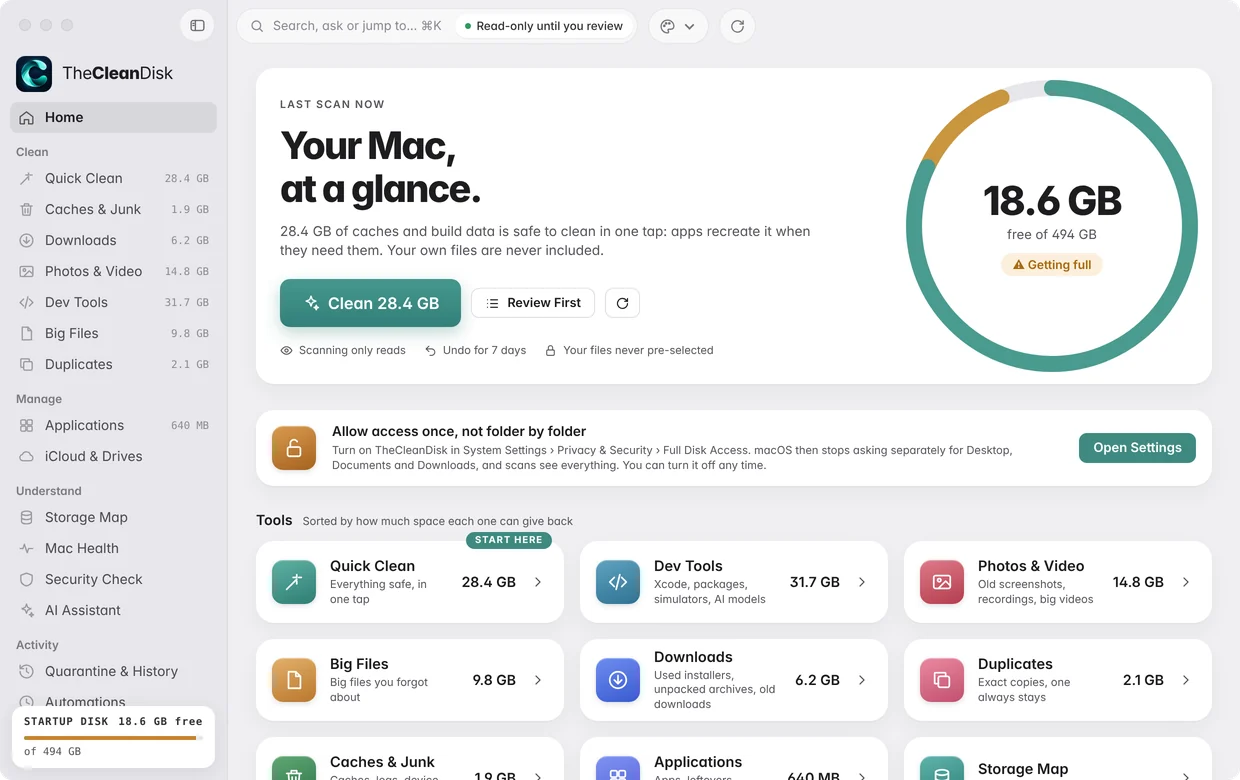
One read-only pass over your Mac. It changes nothing.
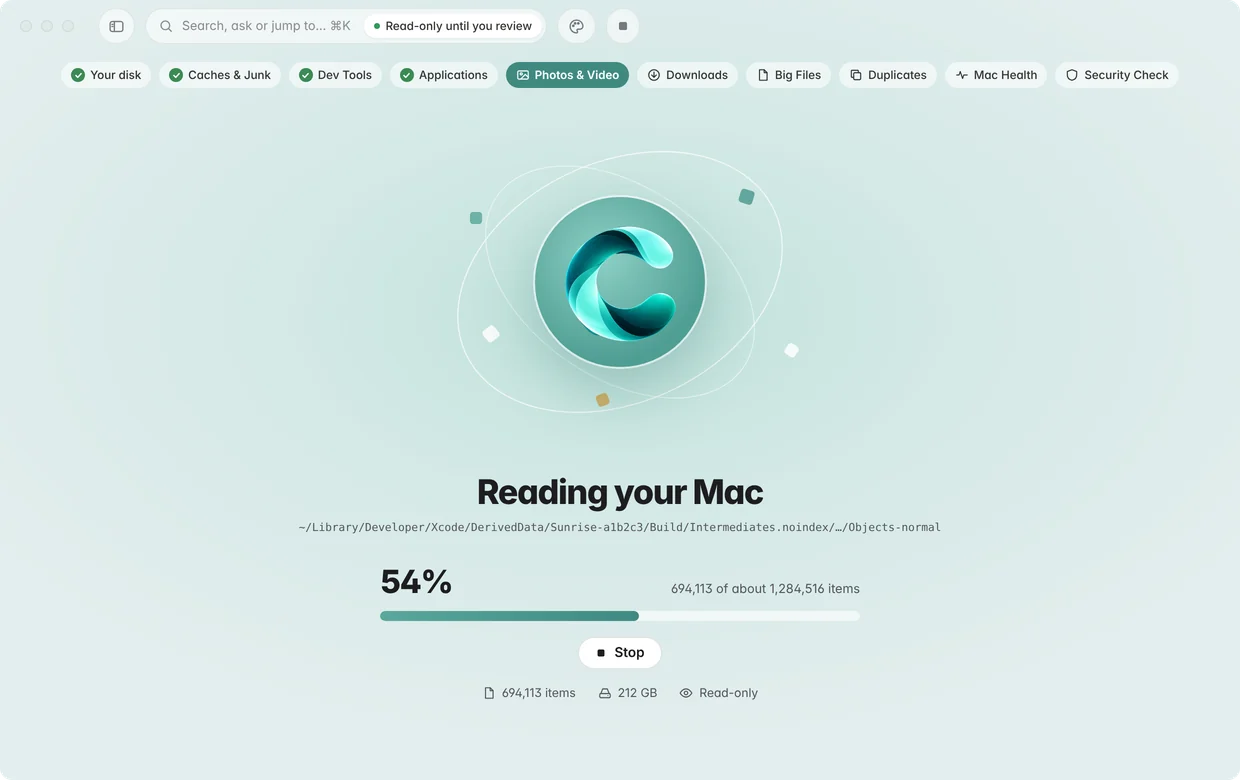
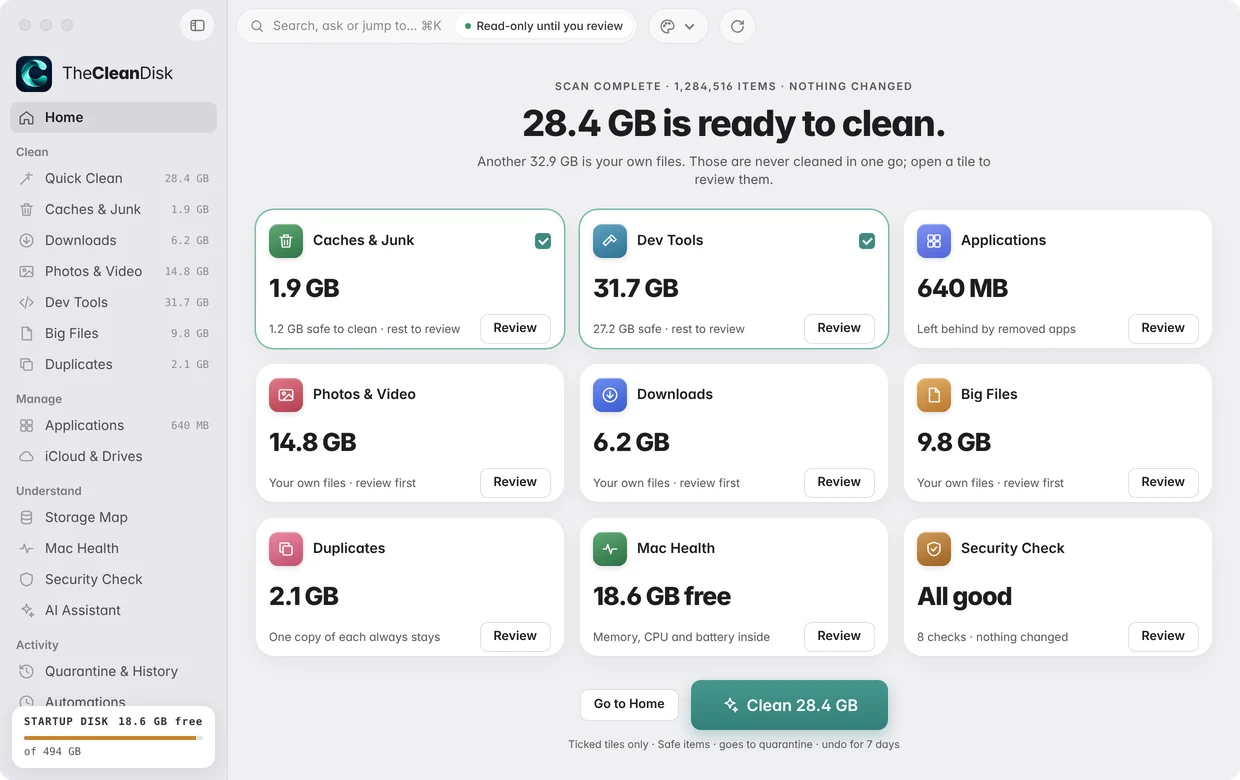
Review
Results arrive as one tile per tool. Only what apps recreate on their own is ticked; your own files are always yours to review.
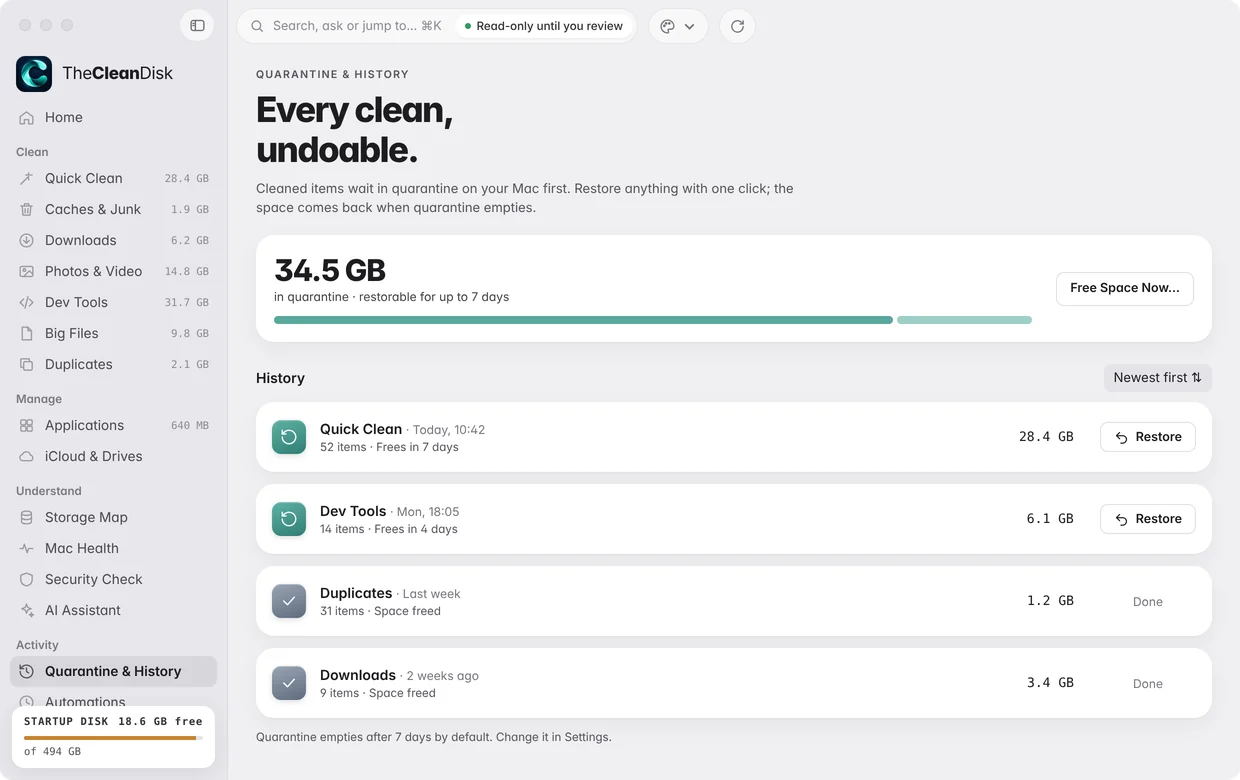
Clean, with undo
Cleaned items wait in quarantine for 7 days. Changed your mind? Bring them back with one click.
 Storage cleaner for macOS 14 and later
Space back. Nothing lost.
Finds what quietly fills your Mac, cleans the safe part in one click, and lets you undo anything.
Coming soon to the Mac App Store
See how it works
- Read-only scan
- Undo for 7 days
- No account, no tracking
- Runs on your Mac
Scan. Review. Clean, with undo.
You see everything before anything goes, and you can bring it back after.
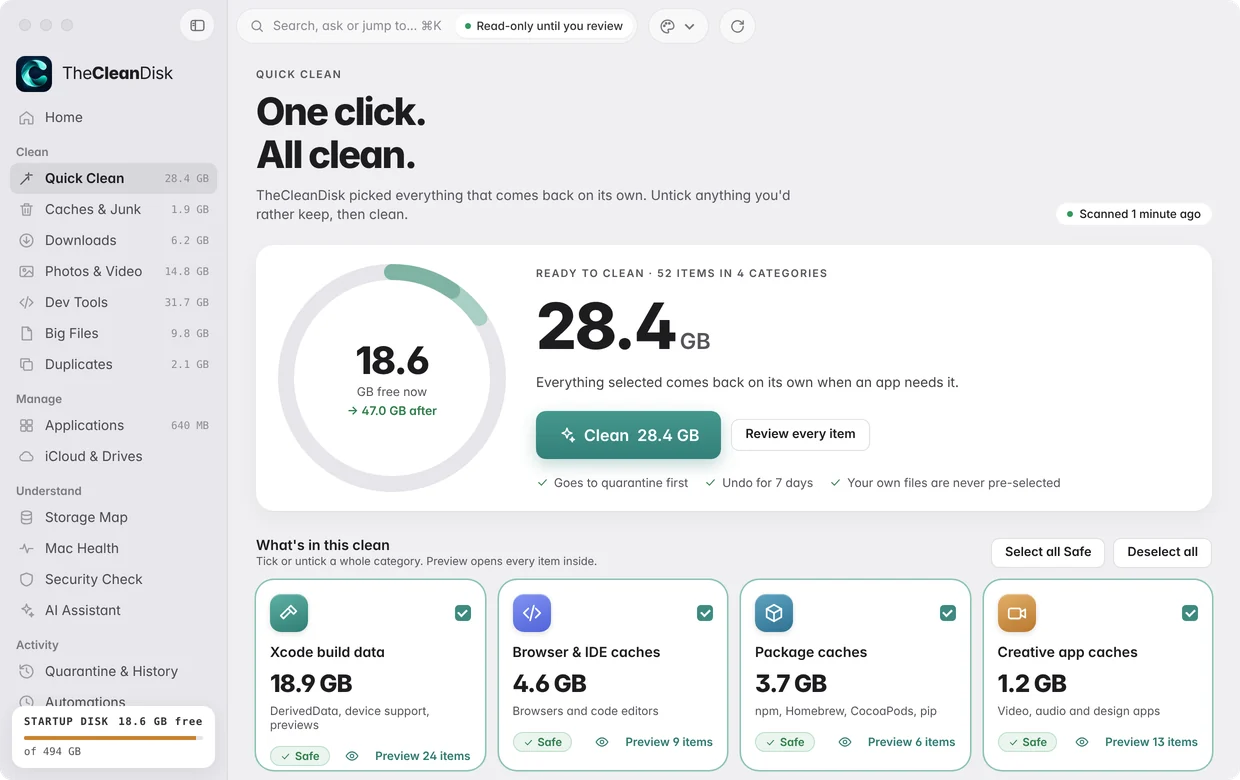
Quick Clean
The safe part, in one click.
Quick Clean selects only things that come back on their own when an app needs them. Untick anything you'd rather keep, then clean.
- Xcode build data, browser and IDE caches, package caches, creative app caches
- Goes to quarantine first
- Your own files are never pre-selected
Caches & Junk and Downloads
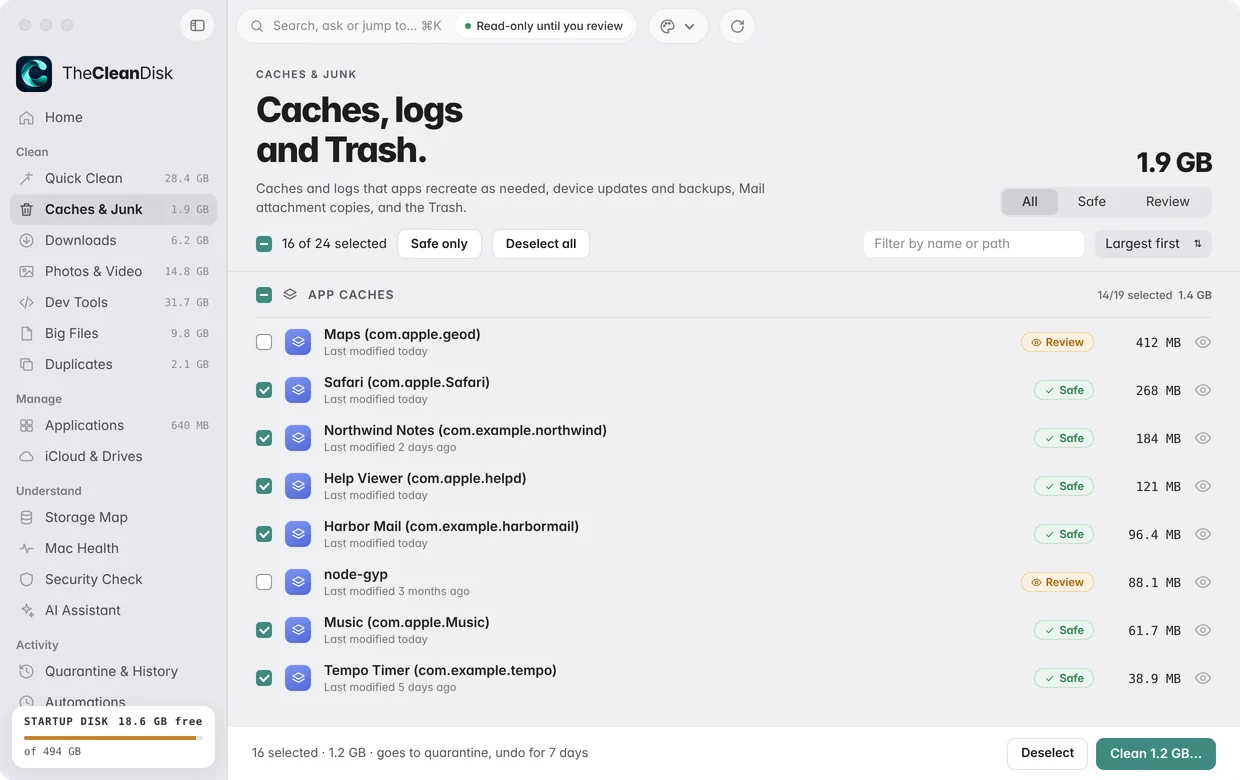
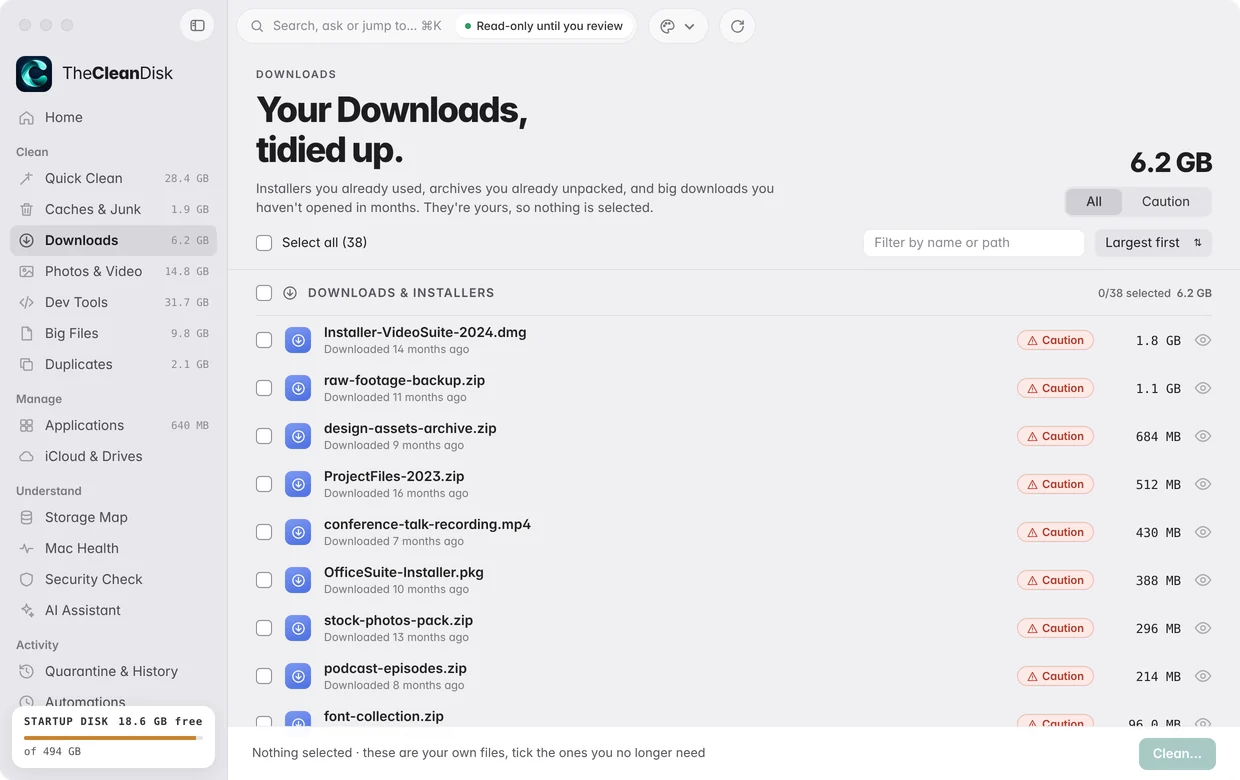
Tidy the corners you never look at.
Caches and logs that apps recreate, old device updates and backups, Mail attachment copies and the Trash. Plus the Downloads folder: installers you already used and archives you already unpacked.
- Every item marked Safe, Review or Caution
- Downloads are yours, so nothing there is pre-selected
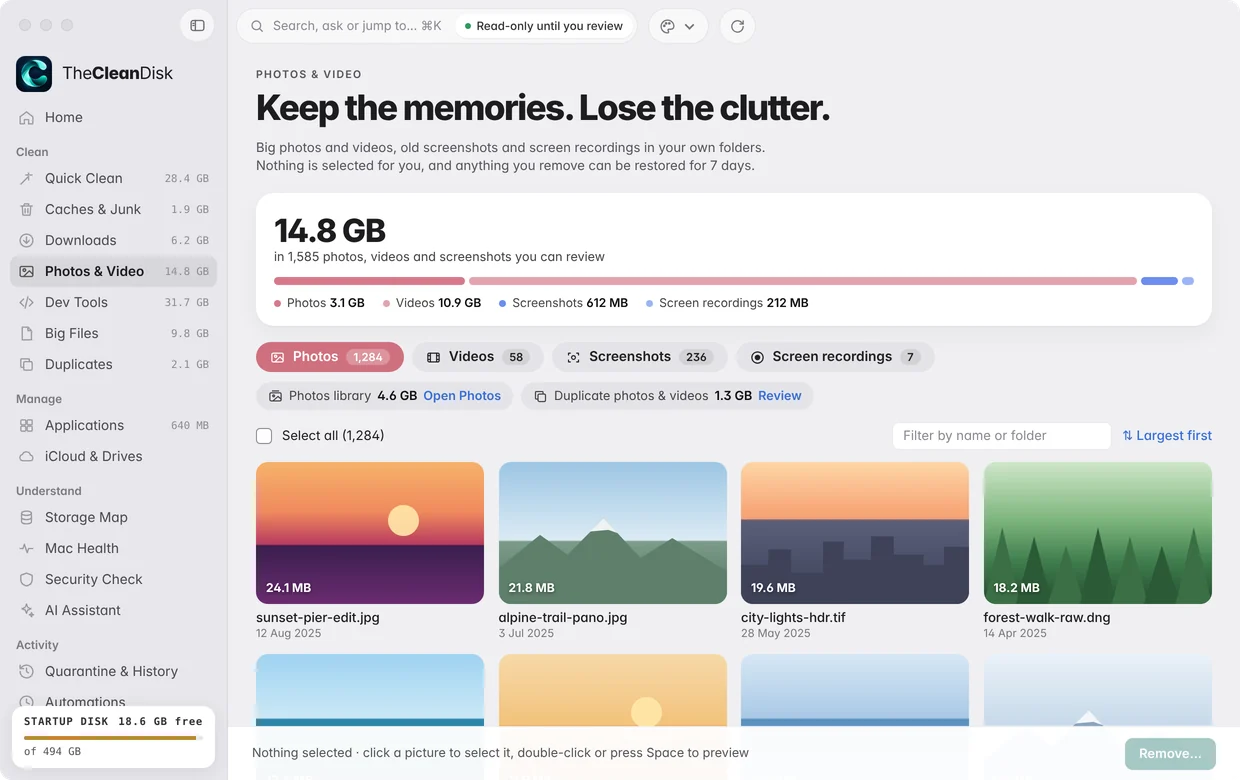
Photos & Video
Keep the memories. Lose the clutter.
Big photos and videos, old screenshots and screen recordings in your own folders, shown as thumbnails so you can see what you're deciding on.
- Nothing is selected for you
- Anything you remove can be restored for 7 days
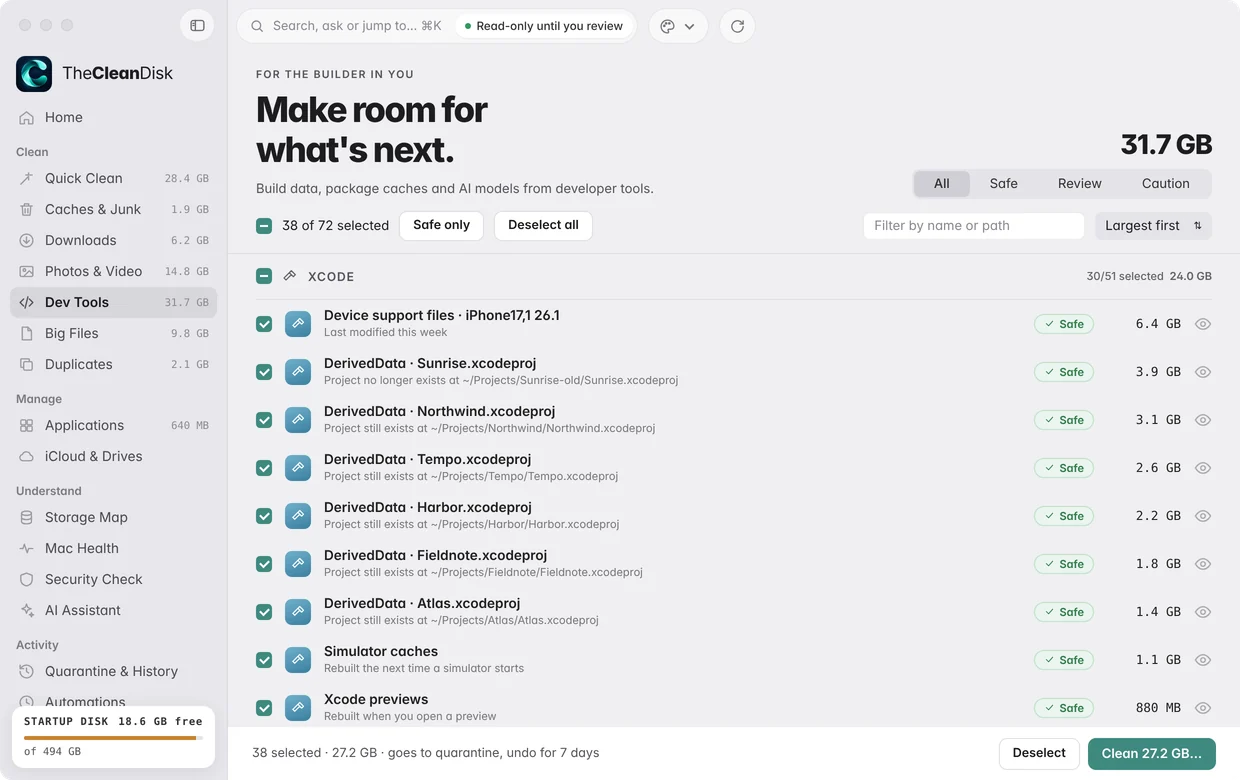
Developer
Make room for what's next.
Build data piles up fast. TheCleanDisk knows where it lives and what rebuilds on its own.
DerivedDataSimulatorsDevice supportnpmCocoaPodsHomebrewpipLocal AI models
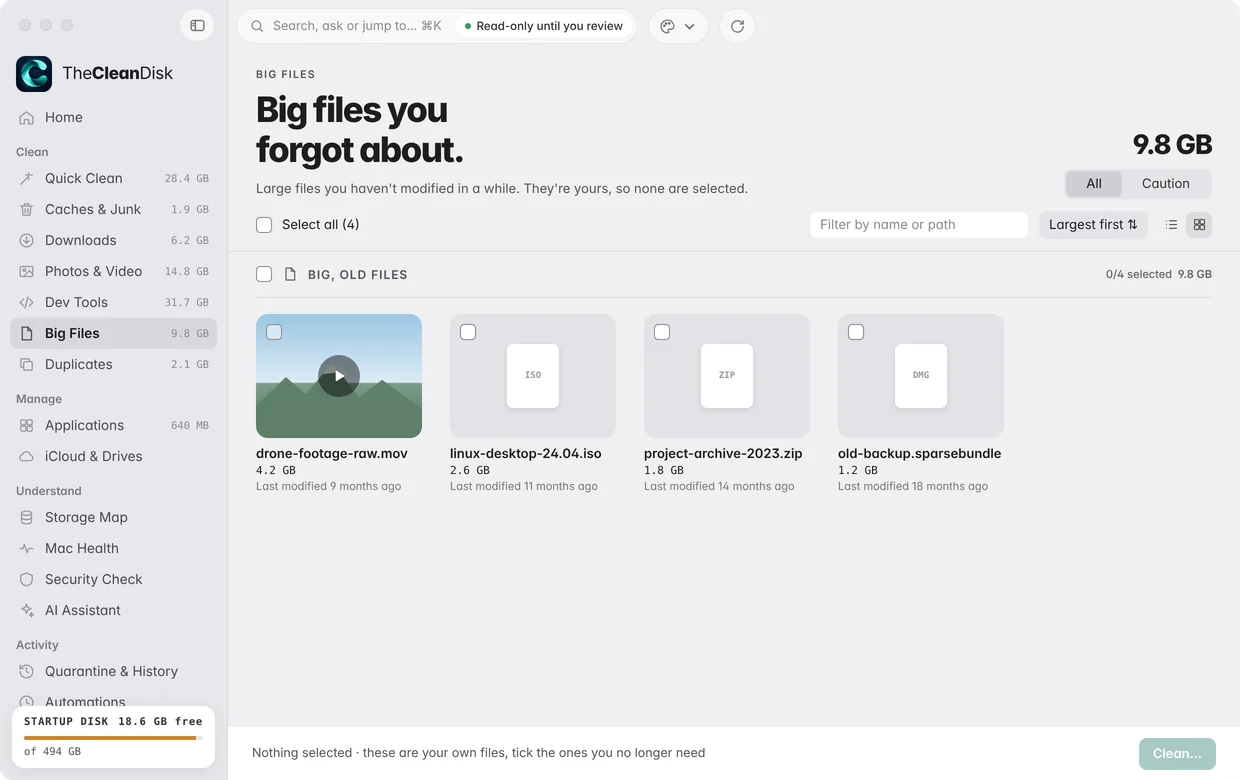
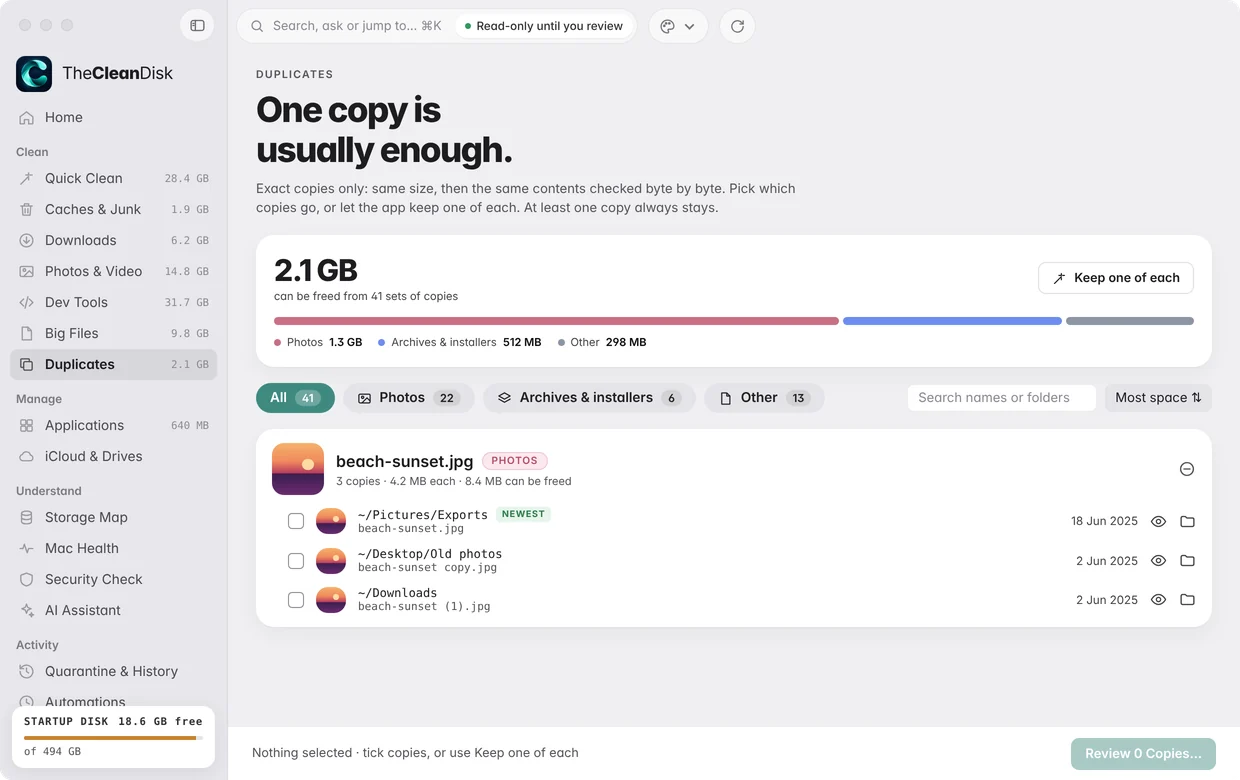
Big Files & Duplicates
Your files, your call.
Big files you forgot about and exact duplicates, with nothing pre-selected. Look before you decide.
- Real thumbnails and Quick Look
- Duplicates compared byte by byte
- One copy always stays
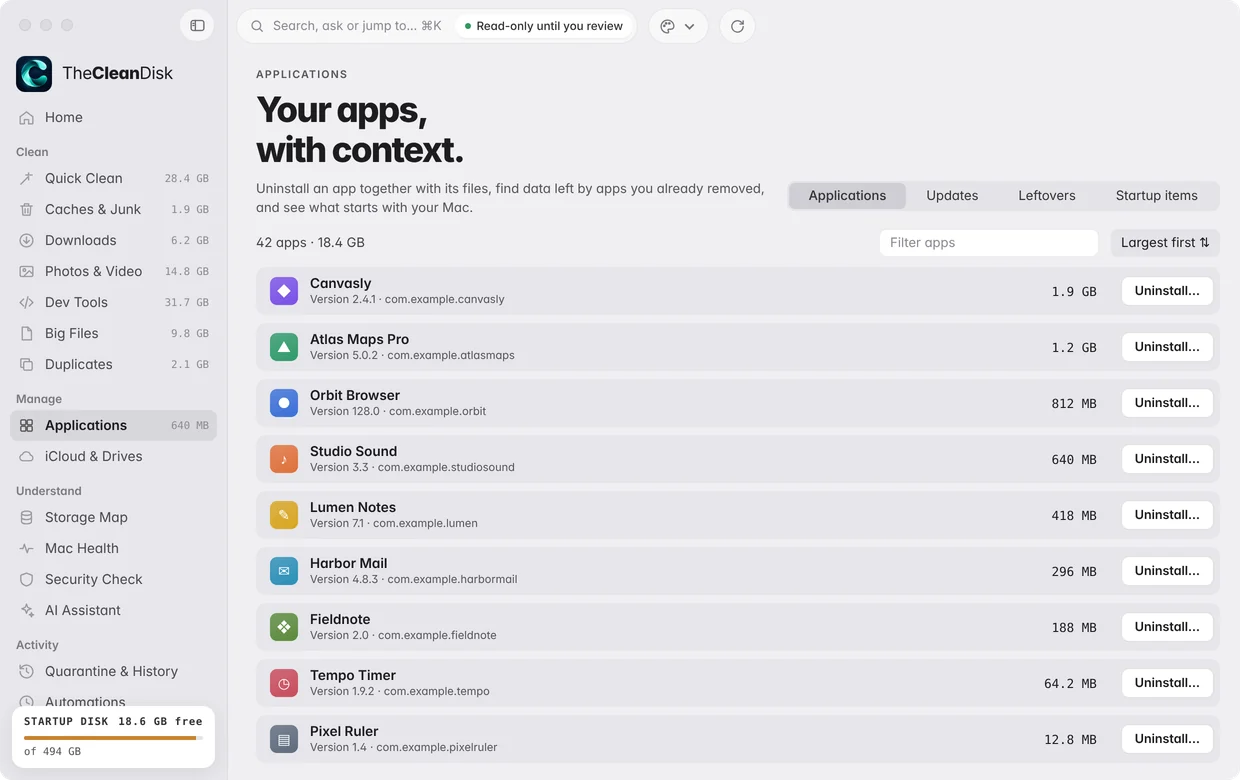
Applications
Uninstall the whole app, not just the icon.
Remove apps together with the support files they leave behind, find leftovers of apps you already deleted, and manage what starts with your Mac.
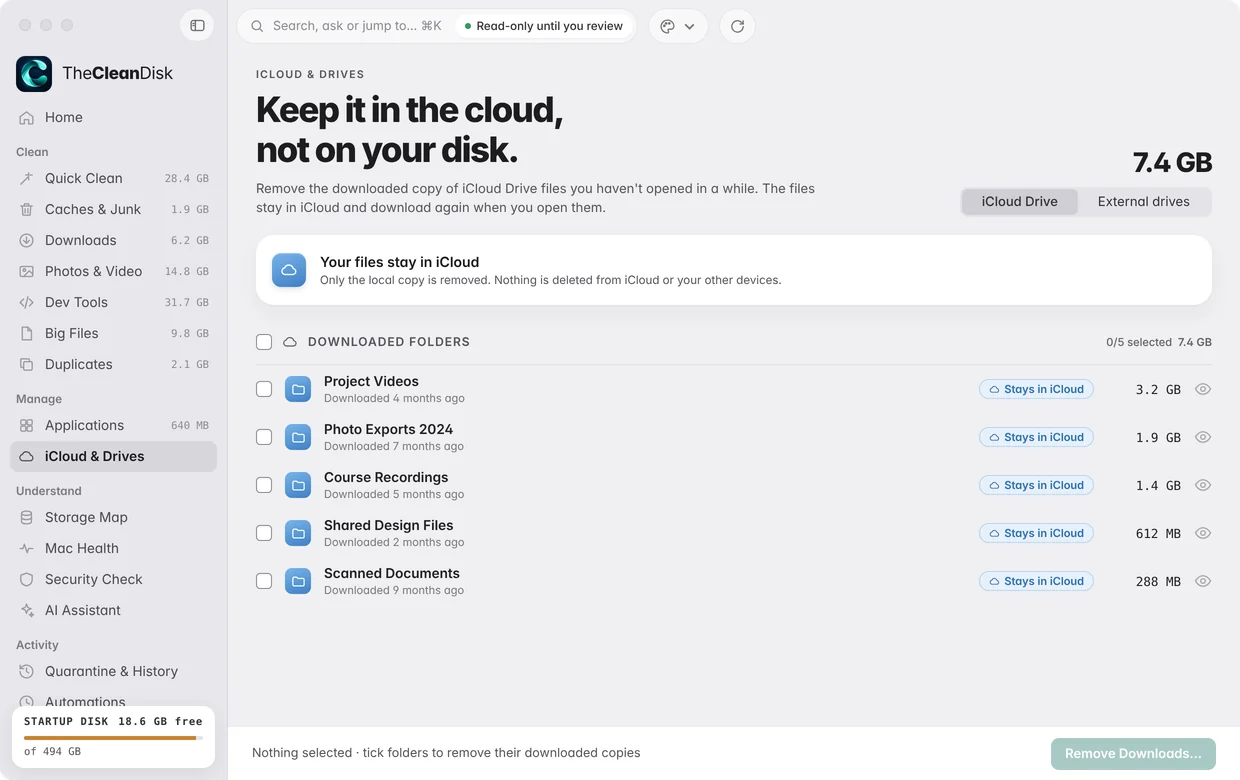
iCloud & Drives
Keep it in the cloud, not on your disk.
Remove the downloaded copy of big iCloud Drive files. They stay in iCloud and on your other devices, and download again when you open them. Nothing is deleted from iCloud.
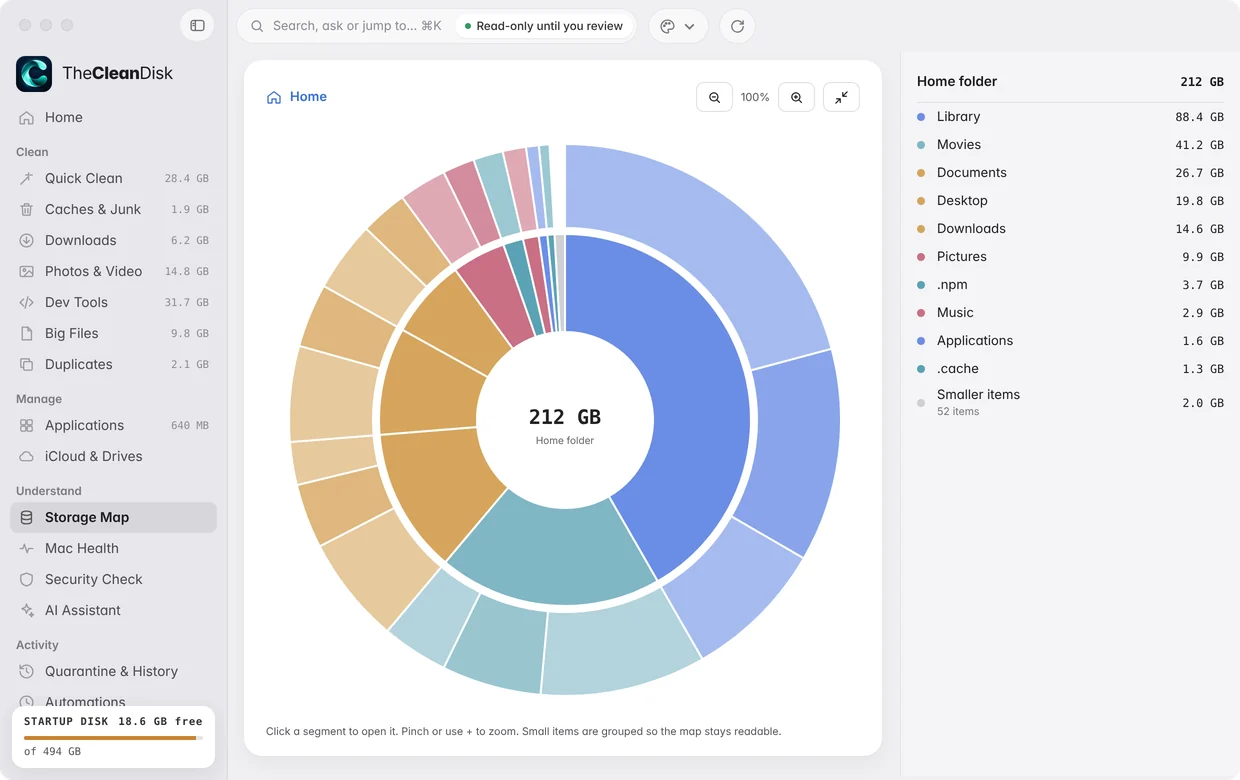
Storage Map
Your disk, folder by folder.
An interactive map of where your space went. Zoom in, open anything, or clean it after a review.
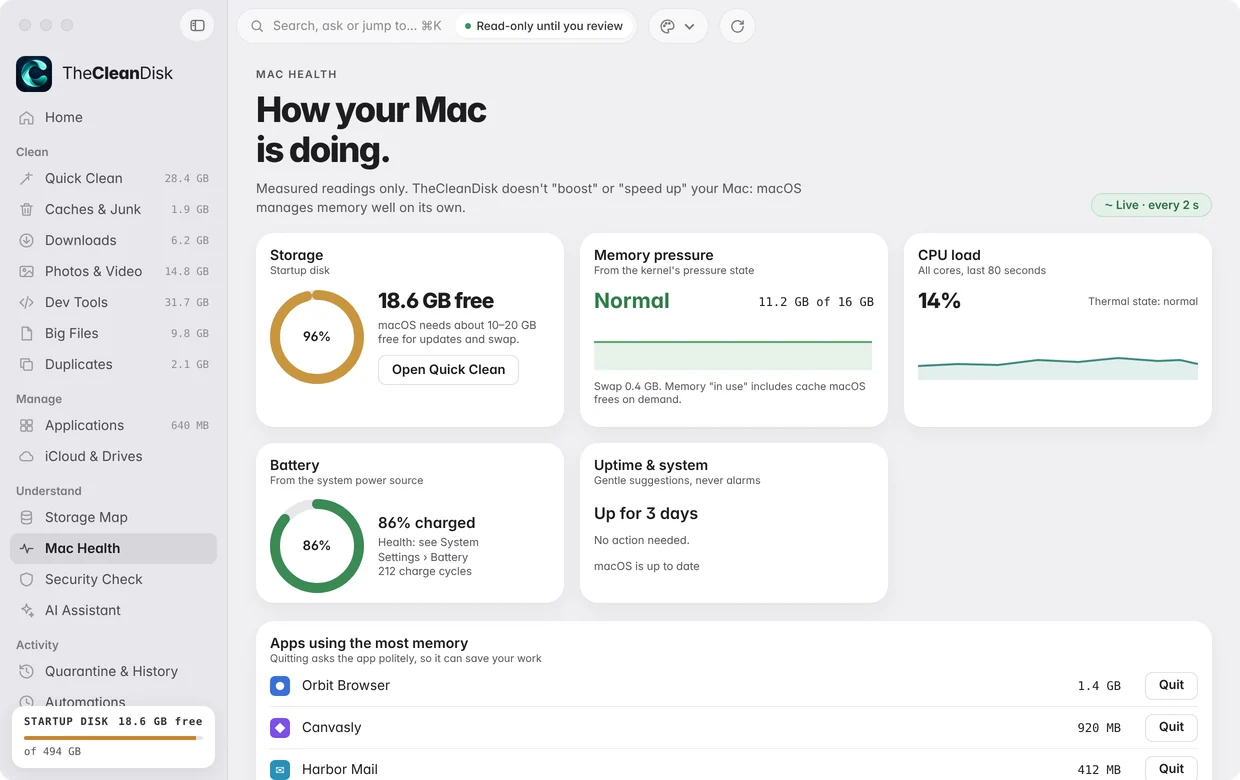
Mac Health & Security Check
No fake speed‑ups. No scare tactics.
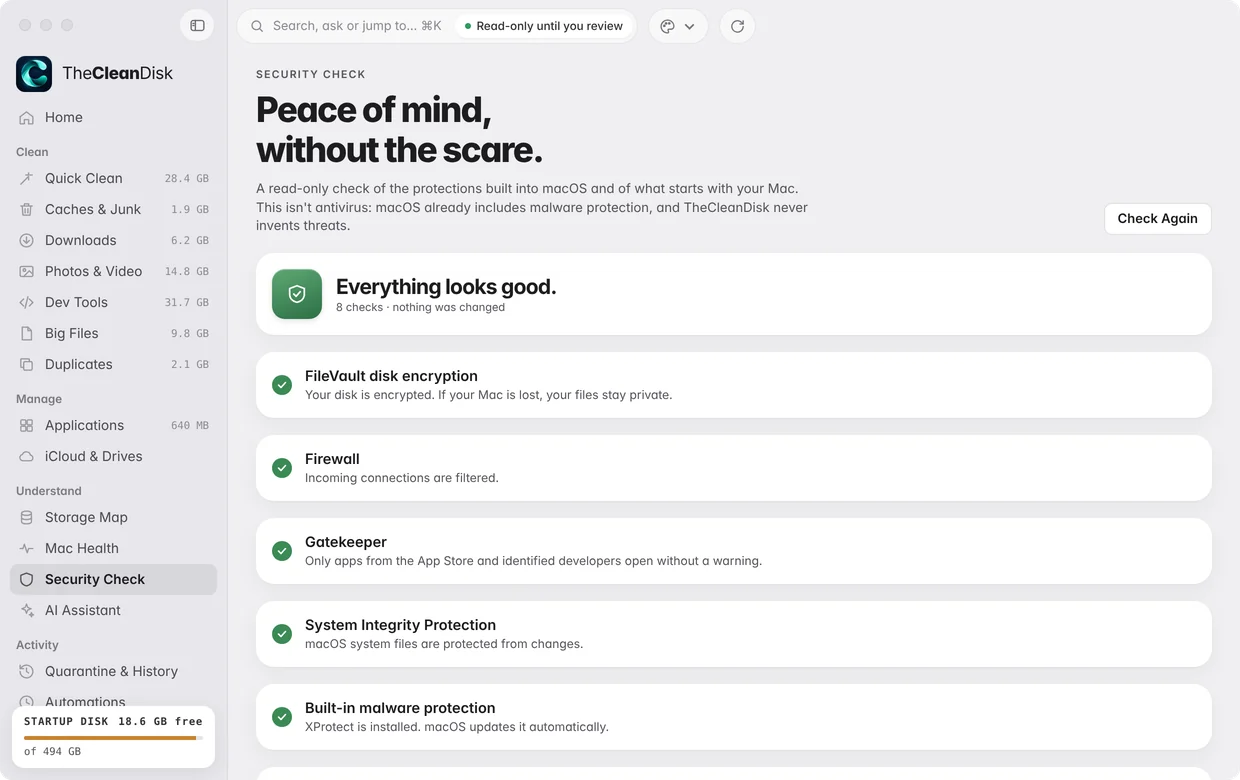
Mac Health shows real readings for storage, memory, CPU and battery. TheCleanDisk doesn't claim to "boost" your Mac: macOS already manages memory well. Security Check is read-only and tells you plainly when everything looks good.
- FileVault, Firewall, Gatekeeper, System Integrity Protection, XProtect, login items
- Nothing is changed by a check
AI Assistant
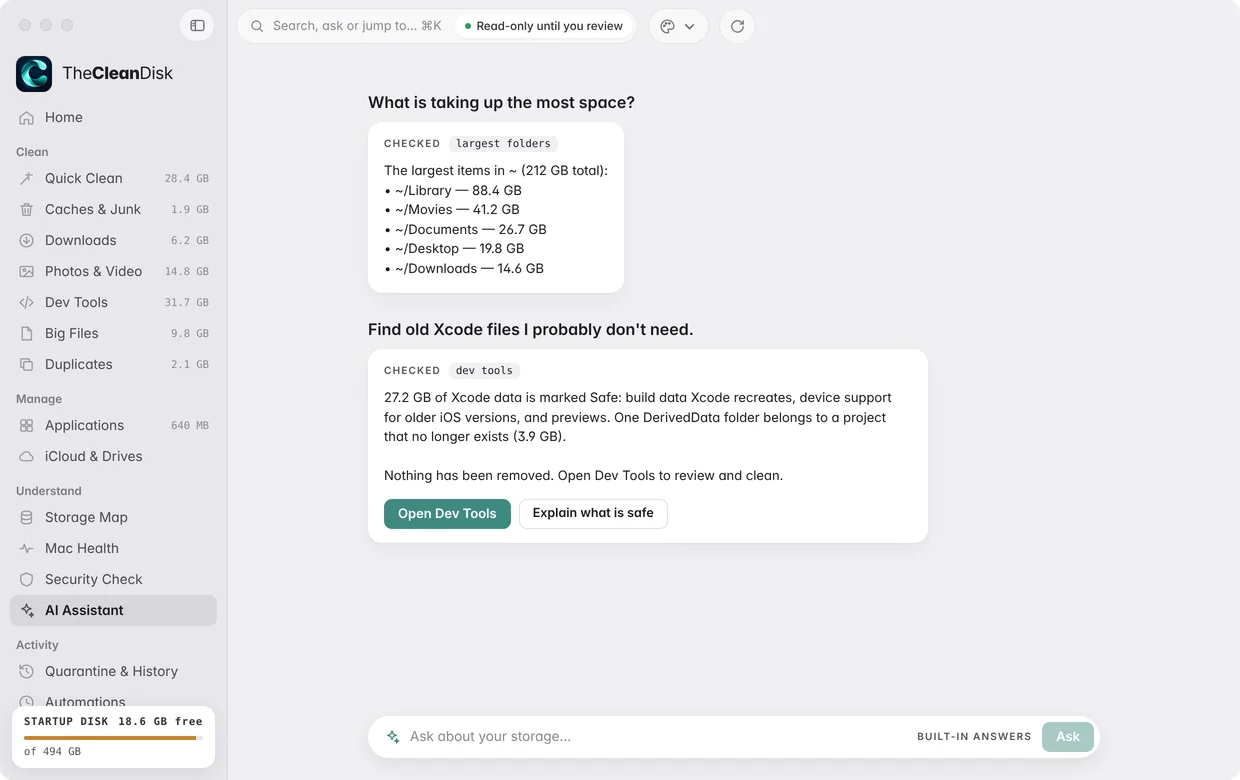
Ask in plain words.
The assistant answers from your latest scan, on your Mac. It can prepare a cleanup plan, but only you can confirm a clean, and every item still passes the same safety rules.
Automations
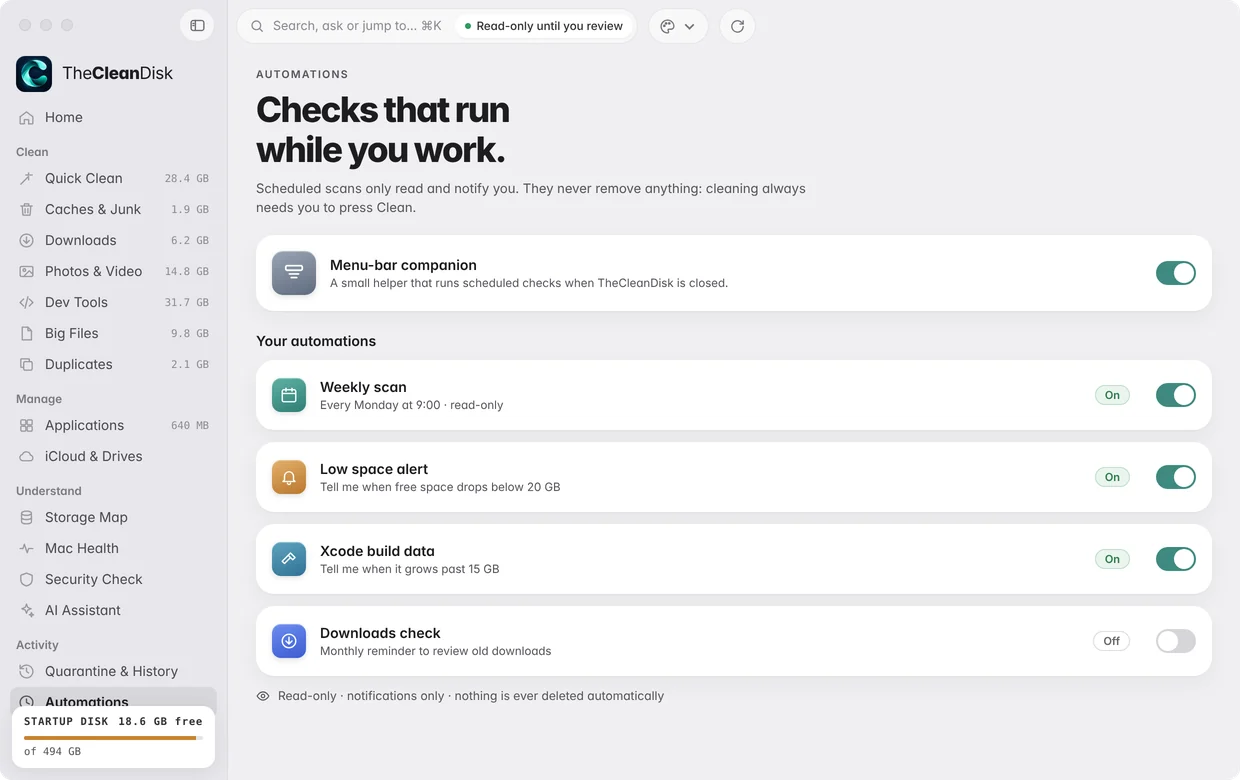
Care that runs on its own.
Schedule a weekly read-only scan and get a heads-up when there's a lot to clean or space runs low. Automations only scan and notify: you always press Clean yourself.
Changed your mind? Bring it back.
Cleaned items wait in quarantine on your Mac before anything is deleted. Drag the slider to see what happens over the next week.
Xcode build dataIn quarantine on your Mac
RestoreStill restorable for 5 more days.
What's on your Mac stays on your Mac.
TheCleanDisk does all of its work on your Mac. It doesn't collect, store or share any personal data. Read the privacy policy
- No accountOpen the app and start.
- No trackingNo analytics, ads or identifiers.
- No third-party SDKsNothing else ships inside the app.
- On-device answersYour questions never leave your Mac.
Guides for a fuller Mac
Careful, plain-language answers, starting with the tools already on your Mac.
Questions people ask before they trust a cleaner
Something else? Visit support or email support@thecleandisk.com.
Is it safe?
Scanning only reads; it never changes anything. Nothing is removed until you review it. Only items marked Safe, things apps recreate on their own, are pre-selected. Everything you clean waits in quarantine for 7 days.
Does it delete my files?
Not unless you choose them. Your documents, photos, keychains and cloud folders are never pre-selected, and Big Files and Duplicates start with nothing selected. In Duplicates, one copy always stays.
Why does it ask for Full Disk Access?
macOS protects folders like Desktop, Documents and Downloads. Turning on Full Disk Access once in System Settings › Privacy & Security lets the scan see everything without asking folder by folder. Scans still only read, never change, and you can turn access off any time.
Does anything leave my Mac?
No. There's no account, no analytics and no tracking. Scanning, cleaning and the assistant all run on your Mac.
How do I undo a clean?
Right after a clean, press Undo. Later, open Quarantine & History and press Restore. Items wait there for 7 days, or the period you choose in Settings.
Which macOS versions does it support?
macOS 14 Sonoma and later.
Get your space back.
Clean the safe part in one click. Undo for 7 days by default.
Coming soon to the Mac App Store